
SAP connects core business functions, but much of your daily work also depends on other applications. As your business adds cloud services and works with external partners, these systems need to share information. Without reliable connections, staff spend more time re-entering data and resolving conflicting records.
SAP integration services help connect SAP with the applications around it so business processes can continue across systems. SAP Integration Suite provides tools for this work, from exchanging application data to managing access to business services. The right approach depends on your existing systems and the processes you need to support.
This guide walks you through Integration Suite’s main capabilities and common SAP integration use cases. You’ll also learn how to compare approaches, verify business results, and plan for the costs of building and supporting your connections.
What are SAP integration services?
SAP integration connects SAP applications with other SAP or non-SAP systems so they can exchange data for a business process. The phrase “SAP integration services” also covers the work of building and supporting those connections, from design through testing and handover.
When you compare an SAP product with a delivery proposal, separate the software from the work needed to use it. The project team adapts the tools to your data rules and the way your business runs.
For example, a purchasing application can send an approved order to SAP. The integration needs to convert the order data into the format SAP expects and handle the response if a supplier reference is missing. Your team needs to set these rules before building the connection.
Integration also differs from deploying an enterprise resource planning (ERP) system, which brings core business functions into a shared system. You can connect applications to an ERP that is already in use. A broader rollout involves additional work, covered in our guide to ERP implementation services.
What is SAP Integration Suite?
SAP Integration Suite is an integration platform as a service (iPaaS). It provides cloud services for connecting applications and managing the exchanges between them, including connections to systems hosted on your own premises.
SAP documentation uses several related names. Their roles help you work out which service your project needs.
| Term | Role | What it means for your project |
| SAP Business Technology Platform (SAP BTP) | Broader technology platform | Provides the platform context for setting up and using integration services |
| SAP Integration Suite | Integration platform offering | Brings together capabilities for different integration needs |
| Cloud Integration, formerly Cloud Platform Integration (CPI) | Capability within the Suite | Designs and runs application and process integration flows |
SAP BTP provides the account and service environment your team uses to set up integration tools. Access to its management console does not show which tools your business has paid to use.
Integration Suite groups tools with different roles. An application programming interface (API) lets software request data or actions from another system. A project that needs to control access to these interfaces differs from one that sends supplier documents.
Cloud Integration handles integration flows. CPI comes from the former Cloud Platform Integration name and refers to this capability within the Suite.
SAP Integration Suite connects cloud applications with systems hosted on your own premises. This supports businesses that need to exchange data across both environments.
SAP Integration Suite capabilities explained
Integration Suite combines tools for different business exchanges. The table connects these tasks to the tools and projects they involve.
| Business task | SAP capability | What to check |
| Exchange application data | Cloud Integration | Field-to-field data rules, message routes, and error handling |
| Control access to business services | API Management | Access policies and service permissions |
| Distribute notices of business changes | Event Mesh | Which notices each system receives and how it responds |
| Connect third-party applications | Open Connectors | Supported operations and account access |
| Exchange partner documents | Integration Advisor and Trading Partner Management | Document mappings and partner settings |
| Plan an integration landscape or migration | Integration Assessment and Migration Assessment | Current requirements and migration assumptions |
Cloud Integration for application and process integration

Cloud Integration receives data, transforms it where needed, and sends it to another system. Teams set out these steps in an integration flow, often shortened to iFlow.
A flow can map fields between two applications and route messages according to their content. Mapping sets out how a value in one system becomes a value in another, including changes to formats or codes.
Prebuilt integration content provides a starting point. You still need to check software versions and access, then test your business rules. For example, an order exchange built for standard fields needs review if your business uses custom approval data.
API Management for controlled access to business services

API Management controls how teams expose and use APIs.
For SAP API integration, these controls let you set rules for who can use a business service. The system handling the request still needs to allow the action.
The underlying interface determines which business tasks you can expose through API Management. Once you confirm that it supports the task, decide who can call it and under which limits.
Event Mesh for event-driven integration

An event is a notice that something has changed, such as an order being released. Event Mesh supports publishing these notices and delivering them to applications that subscribe to them.
With events, systems respond to a notice instead of repeatedly asking whether new work exists. The source sends that notice without directing each system that acts on it.
The process that receives the notice still needs rules for what to do, including how to handle repeated or out-of-order updates. Event Mesh and Advanced Event Mesh are distinct offerings. Your choice needs to reflect the required event features and service terms.
Open Connectors for third-party application connectivity

Open Connectors provides connectors for supported third-party applications. These give teams a more consistent way to work with those systems.
A connector needs to support the task your process requires. Reading customer details and updating a custom customer field are separate requirements.
Before planning around a connector, check whether it supports your software version and the tasks you need. Account rights and usage limits also affect the design. A listed product name starts the compatibility review, and you still need to check each workflow.
Integration Advisor and Trading Partner Management for B2B exchanges

Business-to-business (B2B) integration connects your processes with suppliers, customers, or other partners. Integration Advisor helps develop document interfaces and mappings. Trading Partner Management manages partner-specific settings and agreements used in these exchanges.
These tools work together. Mapping sets out how to read an order document, while partner setup determines which rules apply to a given supplier.
Templates reduce repeated design work. Partners still need to check document rules and acknowledgments, which confirm steps in the exchange. Both sides need to know which step a response confirms.
Integration Assessment and Migration Assessment for planning

Integration Assessment supports decisions about an organization’s integration strategy and technology choices. SAP Process Orchestration runs connections between applications. Migration Assessment evaluates these existing scenarios for a move to Integration Suite.
Strategy work looks at how future needs fit your current systems, while migration work examines what an existing connection does and what must change when it moves.
Assessment findings need to be checked against your current interfaces and custom logic. A migration plan also needs clear ownership and access to test systems so the team can validate how each connection will work after the move.
Common SAP integration use cases
SAP connections carry data between departments and outside partners. The design depends on which system owns each record and how soon the other systems need updates.
CRM and ERP data exchange

Customer relationship management (CRM) software helps sales teams manage their work with customers. A link to ERP lets them share order and billing data with the teams that fulfill those orders.
For CRM and ERP integration, decide which system owns each record. For example, a sales address update should preserve a billing address that finance controls. Shared record identifiers help both systems find the same customer.
Warehouse and inventory updates

Warehouse connections share stock movements with SAP, including goods received and orders shipped. The timing of those updates affects the stock figures staff use to plan work.
The urgency of each stock movement determines whether to send it promptly or group it into a scheduled transfer. Corrections and canceled movements need a route too, so the systems can reverse an earlier update and keep stock records consistent.
Supplier and partner transactions

Partner connections exchange purchase orders and shipping notices. Using shared formats reduces the need to type in data sent by another company.
Partners often use different item codes or document rules. Your design needs to translate those differences and show who handles rejected documents. Business users need to check that the exchange works for each partner before it goes live.
Operational reporting and analytics

Reporting connections bring data from SAP and other systems into one place for analysis. Staff can then compare records across systems without putting each report together by hand.
Your reporting schedule should match the decision it supports. After a transfer, the report needs the expected records and correct totals. A recent refresh timestamp can otherwise hide missing business data.
How to choose an SAP integration approach
Choose an approach by matching the workload to supported interfaces and the systems your business already uses. An Integration Suite subscription gives you a tool to assess each workload. Moving an existing connection still needs a technical and business case.
Middleware manages exchanges between applications. If it already handles your traffic, include it in the comparison before planning a replacement.
| Situation | Approach to assess | What to check |
| A limited exchange has supported interfaces | Direct connection or supported connector | Compatibility and who maintains the connection |
| Several exchanges need shared capabilities | Relevant Integration Suite capabilities | Required features, software rights, and operating fit |
| Existing middleware already manages traffic | Retain, extend, replace, or use both platforms | Routing policy and responsibility at each boundary |
A direct connection can suit a limited exchange when its maintenance remains manageable. Consider how point-to-point integration will behave as connected applications change.
Assess Integration Suite when several processes need shared tools. Choose the features that serve those processes instead of treating the whole product as a single need.
Review the middleware you already use before replacing it. You can retain or extend it where it still meets your needs, including routes that run alongside Suite. A replacement adds migration and testing work to the business case.
To compare routes, record the source and target systems, the data changes needed, and the team that checks each side. Add the reason behind the choice, such as a network rule or a supported interface. This makes the choice easier to revisit when needs change.
How SAP integrations are built and tested
The build turns the chosen approach into a working business exchange. Your delivery team maps the data fields and sets up the connection. Testing then checks whether the target system applies the right update.
Each test needs the business record identifier and expected result. For example, an invoice test checks the matching document and expected values in the target system.
A correlation identifier (ID) helps you find related processing records. It does not, by itself, prove that the target system applied the business update. Reconciliation adds a check by comparing expected records and values across systems.
Recovery tests need to cover a lost response. The target system could have applied the update even though the sender received no confirmation. Before retrying, check whether the update occurred and how the design prevents a duplicate effect.
Use this evidence to choose suitable deployment strategies and a rollback plan for restoring the prior release. Handover should include a runbook, a set of operating steps for investigating faults and recovering service. Give the support team access to the test evidence so it can trace the same records after launch.
SAP integration costs: platform, implementation, and support
A software plan, implementation work, and ongoing support cover different costs. Keeping them separate makes proposals easier to compare.
| Cost layer | What it pays for | Assumptions to record |
| Platform and usage | Service capabilities and capacity | Required features, environments, and expected usage |
| Implementation | Configuration, mapping, and validation | Data complexity, testing, and your team’s work |
| Operation and changes | Support and upkeep | Coverage, fault ownership, and application changes |
Platform costs depend on the plan and usage terms. An entitlement is a right to set up or use a service or capacity. Console access alone does not prove that right. Check which tools your design needs before setting the software budget.
The SAP Integration Suite pricing page lists monthly allowances of 50,000 messages for Starter, 10,000 for Standard, and 500,000 for Enhanced. These are usage allowances, not subscription prices, and feature coverage differs by plan.
Messages larger than 250 kilobytes count as additional billable units for each extra 250 kilobytes or portion thereof. SAP directs buyers to request a quote for monetary pricing. Implementation and support work need separate estimates.
Build costs reflect the rules and data your team needs to handle. Custom business rules need mapping and test cases. If records conflict, the team also needs time to investigate and resolve the differences. Include your own team’s time for decisions and acceptance tests, as well as granting system access.
Running costs depend on who watches the connection and responds when it fails. Changes to linked systems also create upkeep work after launch.
For each tool, connect its software entitlement to the work and ownership it requires. For example, API Management needs the right software entitlement before someone sets its access policies. The support plan then needs to state who reviews access failures. Use the same workload and support assumptions when comparing quotes.
SAP and legacy system integration: Eastgate case study
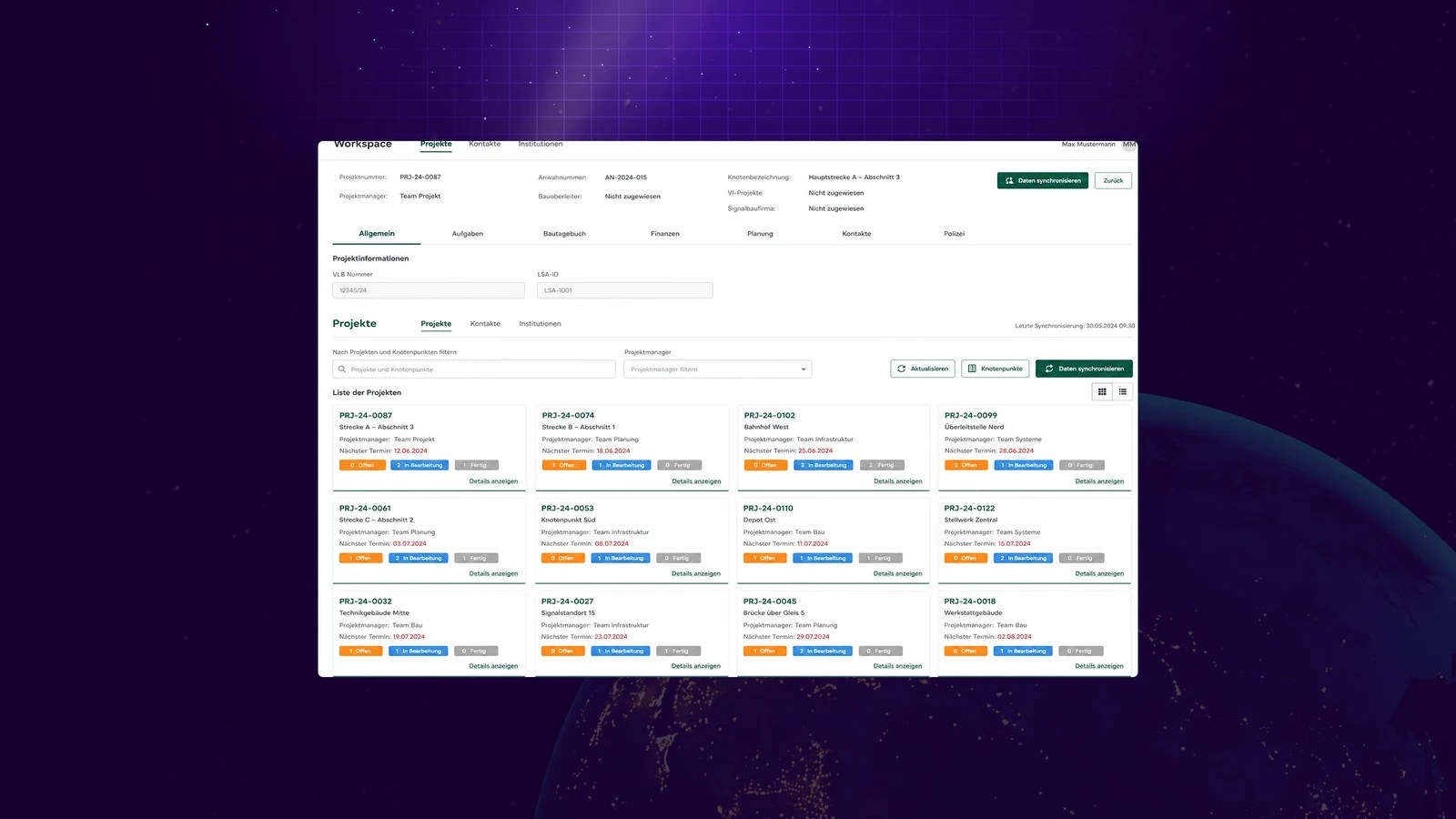
Our SAP integration work includes a project for a European enterprise whose identity remains confidential. The client needed consistent data across SAP and older systems. Manual data entry and scattered records made reporting harder.
Our project account describes a layer that kept data in sync, along with standard API interfaces and a shared reporting warehouse. The work addressed how data moved between systems and how staff accessed it for analysis. Our SAP legacy integration case study reports a 25% reduction in previously recurring data incident tickets and a 40% reduction in manual data-entry workload.
The practical lesson is to measure the business problem the connection is meant to solve. Fewer data errors or less manual entry can be useful signs of progress. This case’s results are not forecasts for another project.
Plan your SAP integration project
SAP integration gives your business a way to connect the systems that support daily operations. Integration Suite brings together tools for exchanging data and managing how applications interact. Choosing the right capabilities starts with understanding where information needs to move and what each connected system should do with it.
A clear plan connects those software choices to the results your business needs. Before requesting a proposal, use this checklist to prepare for the discussion:
- List the records that need to move between systems.
- State when the target system needs each update.
- Identify the integration tools your team already operates.
- Describe the result you will check in the target system.
If connecting SAP with your existing applications is stretching your internal resources, we can help you work through the design and delivery decisions. Explore our system integration services to discuss your project, from building and testing the connections to planning how they will be monitored after launch.


